This will work on the Zega Mame Gear, Mame Boy+ and Mame Boy Advance SP Kits
Step 1.
Run the following from your Raspberry Pi with Internet connectivity
sudo nano /etc/modprobe.d/raspi-blacklist.conf

If the file is empty, just skip this step
However, if you see the following lines:
blacklist i2c-bcm2708
blacklist snd-soc-pcm512x
blacklist snd-soc-wm8804
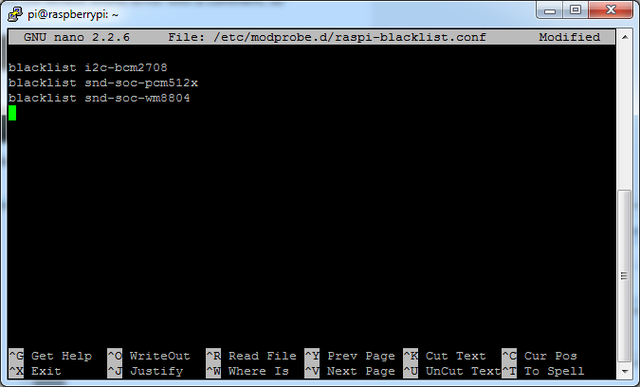
Update the lines by putting a # before each line
Save your changes
Disable headphone audio (if it's set)
Edit the raspi modules list with ...
sudo nano /etc/modules
If the file is empty, just skip this step
However, if you see the following line:
snd_bcm2835
Put a # in front of it
... and save the changes
Create asound.conf file
Edit the raspi modules list with
sudo nano /etc/asound.conf
This file should be blank!
Copy and paste the following text into the file
pcm.speakerbonnet {
   type hw card 0
}

pcm.dmixer {
   type dmix
   ipc_key 1024
   ipc_perm 0666
   slave {
     pcm "speakerbonnet"
     period_time 0
     period_size 1024
     buffer_size 8192
     rate 44100
     channels 2
   }
}

ctl.dmixer {
    type hw card 0
}

pcm.softvol {
    type softvol
    slave.pcm "dmixer"
    control.name "PCM"
    control.card 0
}

ctl.softvol {
    type hw card 0
}

pcm.!default {
    type             plug
    slave.pcm       "softvol"
}
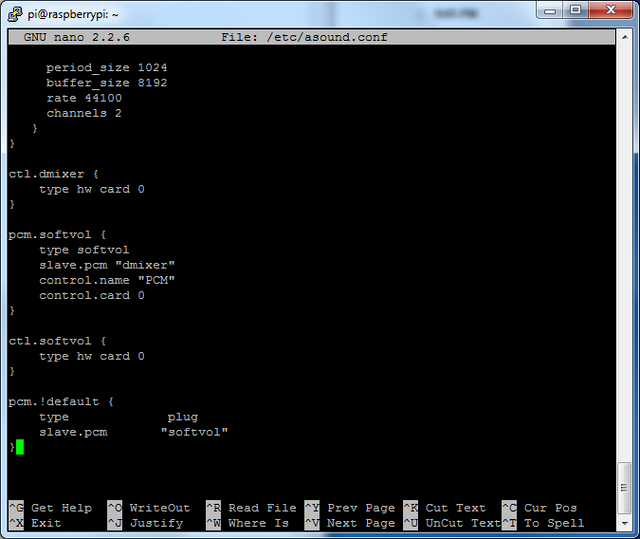
Save the file as usual
Add Device Tree Overlay
Lorem Ipsum is simply dummy text of the printing and typesetting industry. Lorem Ipsum has been the industry's standard dummy text ever since the 1500s, when an unknown printer took a galley of type and scrambled it to make a type specimen book.
sudo nano /boot/config.txt
And scroll down to the bottom. If you see a line that says:
dtparam=audio=on
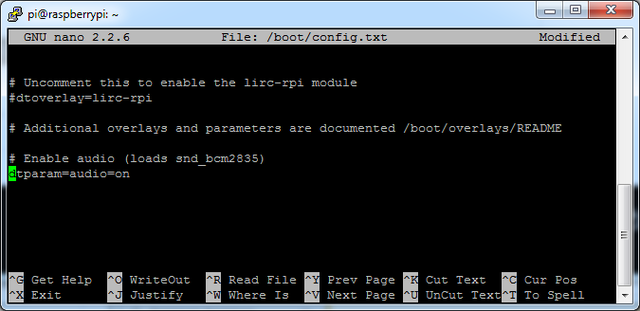
Disable it by putting a # in front. Then add: ...
dtoverlay=max98357a
Save the file and reboot your Pi with
sudo reboot